

Since the blacklist is enforced at the carrier database level, the phone is prevented from authenticating with any mobile network 📵. This means calling, texting, and data usage will fail no matter what SIM card or carrier you try. Even if the phone is factory unlocked from a carrier perspective, it will remain unusable due to the IMEI blacklist 🔒.
How to check the IMEI Blacklist Status of iPhone and Android Devices
Before you start exploring the options you have to get your phone removed from the blacklist, it's important to first confirm your IMEI is actually reported and why 🔎. Let's see how to verify your phone's carrier blacklist status and what each status means ✅:
Steps to see the Blacklist Status of a Phone by IMEI:
- 1 Find your IMEI number
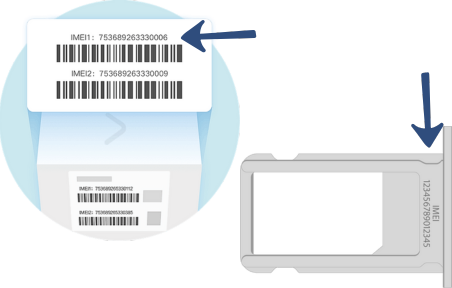 Find your IMEI number because, as the IMEI number is the code included in blacklist reports, you'll need to have it handy.
 - 2 Use a trusted checker
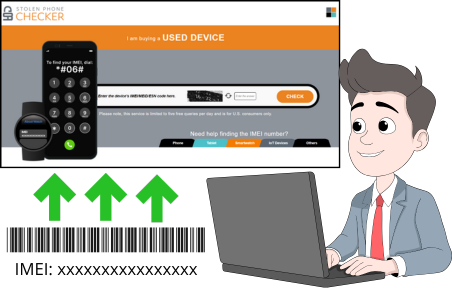 Choose the IMEI-checking online tool of your preference, but we do recommend that you use the CTIA's Stolen Phone Checker 🛡️, which is the official platform in the US.
 - 3 Enter IMEI and review results
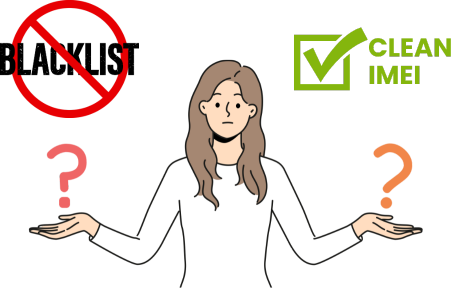 Enter the IMEI number you need to look up and wait for the platform to show you the results on the screen 📲.
Understanding the Different Types of IMEI Reports:
- Unpaid: This status refers to financed devices 💳, and it usually means payments were not completed, which is common and means you'll need to pay off the phone for the carrier to unlock it.
- Lost or stolen: A report with this status means the phone's original owner reported the device as lost or stolen 🚨, which happens a lot with second-hand devices.
- Fraud: This is not very common, but when an IMEI is fraud-flagged, it generally involves more complex disputes with financial institutions and requires professional intervention ⚠️.
What happens to Blacklisted Devices when their IMEI gets reported?
When a phone is marked as blacklisted, it means its unique IMEI number has been reported in an international carrier database called the IMEI blacklist. However, talking about what happens to the device, the answer is that it basically gets locked 🔒 —this status blocks the device from connecting to mobile networks 📵. So, regardless of the SIM card used, in short, the phone is rendered useless in terms of mobile connectivity 📶.
What Does "Blacklisted IMEI" Actually Mean?
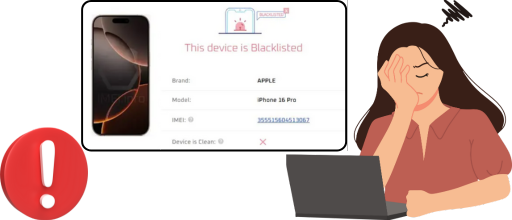
An IMEI number is a permanent hardware identification code assigned to every mobile phone. If this number is reported as lost, stolen, unpaid, or fraudulent, carriers classify it as unauthorized and restrict its usage ⚠️. The block happens directly at the network level, which is why inserting a new SIM, resetting the device, or rooting/jailbreaking it doesn't fix the restriction 🔒.
Common Reasons a Phone Gets Blacklisted
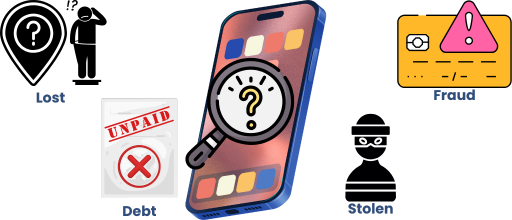
Phones are commonly blacklisted due to unpaid financing plans 💳, insurance claims, theft reports 🛑, carrier disputes, or fraudulent resale transactions. This happens frequently with phones sold through online marketplaces or independent sellers, and in many cases, the current owner is not the person responsible for the original issue 🔍.
What is the Best Blacklist Removal Solution to unlock my IMEI Number?
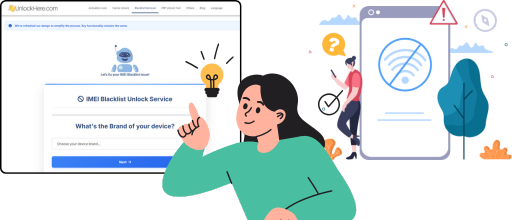
There are tons of alternatives for these types of situations ⚠️; for example, you can change the IMEI number of the phone, jailbreak or root it, or install third-party apps on the device. However, those options are rather risky 🚫 and not really worth it because they don't actually remove the IMEI report. That's why we've prepared this quick table for you to see the two best phone unlocking solutions 🔓 for a safe yet effective and practical unlock ✅:
| Solution | Submitting an Unlock Request to the Carrier | Using UnlockHere's AI-Powered IMEI Cleaning System |
|---|---|---|
| 👥 Who Can Use It | Original account holder 👤 with phones flagged for financing or minor account holds 💳 | Anyone 🌍 — no original owner needed, works for second-hand devices 📱 |
| 📋 Requirements | Contact carrier 📞 (T-Mobile, AT&T, Verizon, etc.) and resolve balances ✅ | ✅ No receipts, no carrier access, no documentation 🚫📄. Uses certified GSMA database cleaning 🔓 |
| ⚠️ Limitations | ❌ Does not work when device changes owners or without proper documentation 📄 to verify ownership | Legal, non-invasive, and permanent 🛡️ — does not alter hardware or software ⚙️ |
👥 Who Can Use It
🏢 Submitting an Unlock Request to the Carrier
Original account holder 👤 with phones flagged for financing or minor account holds 💳
🔓 Using UnlockHere's AI-Powered IMEI Cleaning System
Anyone 🌍 — no original owner needed, works for second-hand devices 📱
📋 Requirements
🏢 Submitting an Unlock Request to the Carrier
🔓 Using UnlockHere's AI-Powered IMEI Cleaning System
✅ No receipts, no carrier access, no documentation 🚫📄. Uses certified GSMA database cleaning 🔓
⚠️ Limitations
🏢 Submitting an Unlock Request to the Carrier
❌ Does not work when device changes owners or without proper documentation 📄 to verify ownership
🔓 Using UnlockHere's AI-Powered IMEI Cleaning System
Legal, non-invasive, and permanent 🛡️ — does not alter hardware or software ⚙️
Steps to unlock Blacklisted iPhone and Android Devices via IMEI with UnlockHere
Unlocking a blacklisted device 📵 is easier than you think! Follow these four simple steps 🔢 to remove your phone's IMEI blacklist 🔓 and restore full network functionality ✅ in just minutes.
Find the Phone's IMEI Number
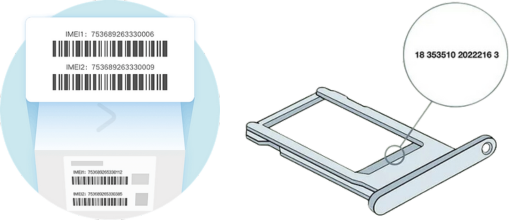
The very first thing you're going to need is the locked iPhone or Android device's IMEI code 🔢 (you're looking for a 15-digit number 🔍). For that, you have a couple of options:
- Dial *#06# ☎️ on the phone.
- Check if it appears on the device's SIM card tray 📱.
- See if it's printed on the device's original packaging 📦.
Visit UnlockHere.com
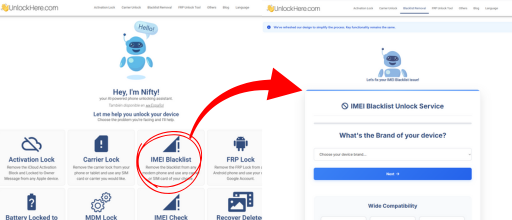
Go to UnlockHere.com 🌐, which is our official website, and once there, start the blacklist removal process 🔓 by clicking on the "IMEI Blacklist" option, which takes you to the corresponding page. As soon as you're taken to the correct website, select the brand of the phone 📱 with a blacklisted IMEI that you're trying to fix.
Fill Out the Unlock Form
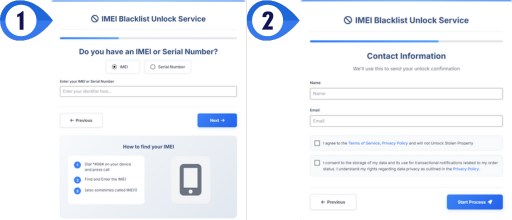
You'll be asked to fill out a very quick online form 📝, which is necessary to request an unlock with us. You'll need to provide the IMEI code of the mobile device, your name, and your email address 📧 (for contact information). Then, simply click on the button to get started ✅ and follow the system instructions.
Receive Permanent Blacklist Removal
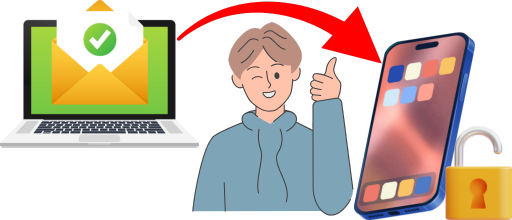
Your device will be fully network-ready 📶 once the unlock is completed, but don't worry, we'll let you know as soon as we're able to remove it from the blacklist via email (we send you a confirmation email ✉️). As soon as you receive the confirmation, just restart the device 🔄 without factory resetting it or anything like that, and start using it 🎉!