Skip to content

Let's fix your Locked to Owner issue!

Activation Lock Removal Service

Step 1 of 4

Which Apple device do you have?

Pick the device that shows the “Locked to Owner” screen.

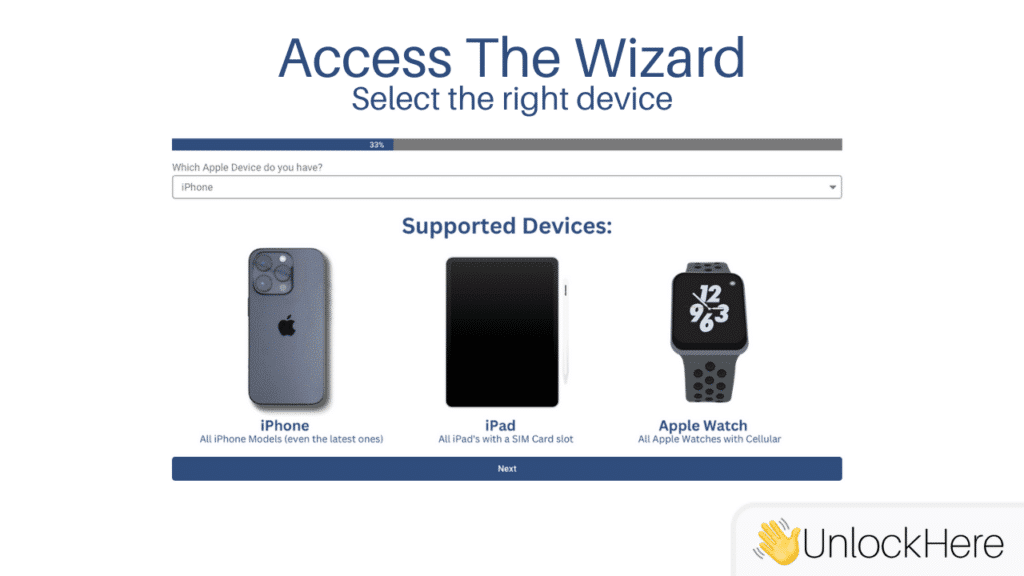
Supported devices

What you'll get

All Apple devicesiPhone, iPad, Watch and Mac
Fast processingQuick turnaround on every request
Safe and secureOfficial methods, no device damage
Common Symptom
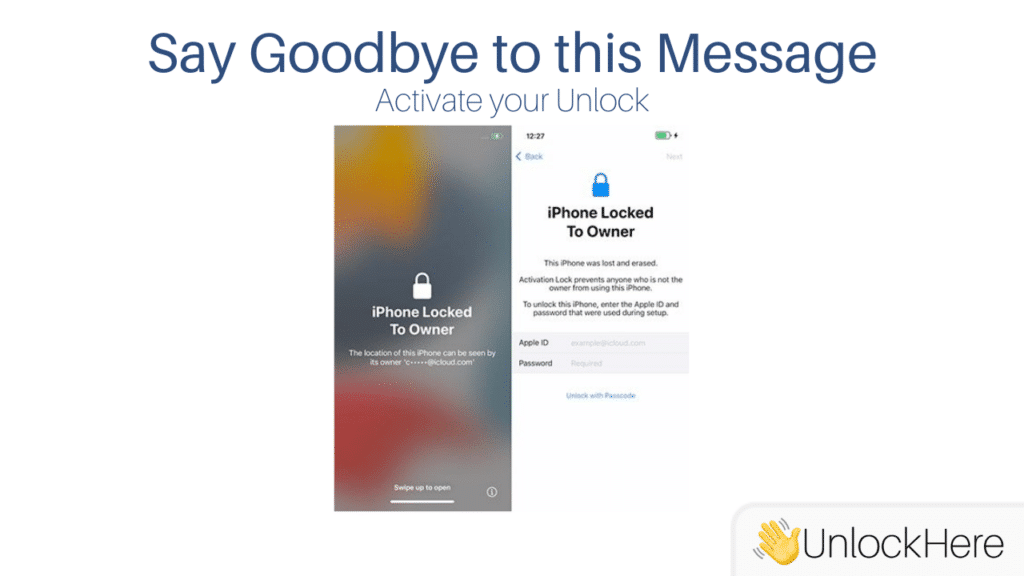
🔒 iPhone Locked to Owner

This iPhone is linked to an Apple ID. Enter the Apple ID and password that were used to set up this iPhone.

Explanation: This message appears when trying to activate a used iPhone that’s still associated with the previous owner's Apple ID. To unlock it, you need the previous owner's Apple ID and password.

Complete Guide to iCloud Unlock: How to Remove the 'Locked to Owner' Message

Are you seeing the “locked to owner” message on your iOS device? If you’re looking to remove the activation lock without the previous owner’s information, continue reading. This guide will explain the issue, its implications, and how to resolve it quickly. Before starting the unlocking process, please review this guide to fully understand the situation and the steps needed to bypass the lock efficiently.

How Can I Check if I Have the Activation Lock on My iOS Device?

To check for an activation lock, simply turn on your device and look for the “locked to owner” message. It’s important to understand the source of this issue, as not all unlocking methods are the same. Before drawing any conclusions, please review our resources to save time and simplify the process.

What Are the Reasons Behind the iCloud Activation Lock?

The “locked to owner” message often appears on devices with unclear ownership history. Our focus is on helping legitimate users resolve this issue. Common scenarios include:

  • Purchasing a phone without the previous owner removing their data.
  • Not using the phone for an extended period.
  • Creating a random account and needing to reset the phone.


If any of these situations apply to you, we have the solution to unlock your device today. Use this information responsibly, ensuring you have the right to unlock the device. Our goal is to assist users in need of access to their iOS devices.

Is it Safe to Bypass the iCloud Activation Lock?

We strongly advise against using DNS bypass or any other method to circumvent the “locked to owner” screen. These methods often require software that may contain malware, putting your personal data at risk. Additionally, most bypass tools that claim to remove the lock only grant limited access to the device’s features. This can potentially damage the device and render it ineligible for official unlocking. The safety and effectiveness of these methods vary, so it’s crucial to choose a legitimate solution for unlocking your iPhone.

Security and Privacy Concerns

The iCloud activation lock is a robust security feature designed to protect your device from unauthorized access and theft. When enabled, it requires the original owner’s Apple ID and password to unlock the device, ensuring that personal data stored in iCloud remains secure. This feature is particularly beneficial in preventing stolen devices from being reactivated and used by others. However, it can also pose challenges for legitimate users who acquire devices without the previous owner’s credentials.

Legal Aspects of Unlocking

Unlocking a device can have legal implications that vary by region. In many areas, it is legal to unlock a phone as long as you have the right to do so, such as being the original owner or having explicit permission from the previous owner. However, using unauthorized methods or providing false information to unlock a device can lead to legal consequences. It is essential to understand the laws in your region and ensure that any unlocking process complies with them.

How to Remove the "iPhone Locked to Owner" Message

Removing the “iPhone locked to owner” message requires careful consideration of your situation to choose the correct method. Here, we outline legitimate options for iCloud unlock on your iOS device, such as iPhone, iPad, or Apple Watch. We do not recommend using iCloud DNS bypass methods, as our goal is to provide real solutions from trustworthy sources.

Contact the Previous Owner

If you purchased your device from an online marketplace, try contacting the previous owner to request an unlock. This may require an in-person meeting, as most people are reluctant to share their Apple ID password with strangers. Many iOS users are unaware of the steps needed to fully reset an Apple device, and often, the intention was to sell the device without causing issues for the new owner.

Contact Apple Directly

If you are the original owner, visit an official Apple Store—not a reseller—for assistance. You will need proof of purchase and your iCloud account details must match your personal information. Once verified, you can request the unlock and complete any necessary paperwork. Be prepared to show identification, and note that providing false information can lead to legal consequences, which vary by region.

Use a Third-Party Platform

One of the safest and easiest ways to remove the iCloud lock is through a reliable third-party platform. Many tools available online are ineffective and may compromise your data with unknown downloads or app installations. Our team has developed an AI-powered tool that performs the unlocking process completely online. Here’s a simple guide on how to use our service:

  1. Access the Wizard: Use Nifty’s wizard, designed to make the unlocking process accessible to all users. No prior knowledge of iOS devices or computers is required. Select the “Remove Activation Lock” feature and choose the device you want to unlock.
  2. Provide Device Information: Enter your device’s IMEI number to identify it and initiate an unlocking request. If unsure how to find your IMEI, press the sleep button, wake the device, and tap the “i” icon on the screen’s bottom right corner.
  3. Receive Notifications: Enter your contact information for follow-up. You will receive a confirmation email to verify your unlock request. Follow the instructions to proceed.
  4. Unlock Your Device: Once your request is activated, wait for the remote unlocking to complete. Afterward, perform a full reset and set up a new Apple ID.

Contact the previous owner

If you bought a device off any online marketplace, we recommend you to get in contact with the previous owner to request the unlocking of the device. This will likely require you to meet in person, as most people will not agree to give out their Apple ID Password to a stranger. This is easier said than done, but there is a high success rate, as many iOS users are simply unaware on how to fully reset an Apple Device. Also, in many cases, the user it’s simply unaware of this and its only intention was to sell the device without causing any damage to the other party.

Contact Apple Directly

If you are the original owner, you can go directly to an Apple Store, remember that it has to be the original store, and it cannot be a reseller. If you have the option to go to the store, you may require an unlocking directly by Apple. This can only be done if you are the original owner of the device, and you have proof of purchase as well as your iCloud account matches your personal information. If you have this first requirement met, then all you need to do to request the unlocking and fill out the paperwork. Remember that you will be asked for your ID and any attempt to provide false information can result in legal consequences that will vary depending on your region.

Use a third-party platform

The safest and probably the easiest way, it’s to use a third-party platform that can do the process for you. It is hard to find the right tool to use. Many of them simply do not work and will put your information at risk with unknown downloads, the installation of apps on your phone and much more. Our team of developers, have created an AI powered tool that can take care of your unlocking completely Online. Below you will find a small guide on how to use the service, don’t worry, it is very simple to follow and use.

Why Choose UnlockHere?

UnlockHere offers a fully remote, secure iCloud unlock service tailored to each iOS model. Our tool is updated regularly to ensure compatibility with the latest Apple updates, providing a permanent solution without compromising personal data. Unlike bypass methods, our unlocks are permanent, removing all previous data from the device. If issues arise, our support team is ready to assist.


Remove iCloud Activation Lock Without Software

With the rapid advancement of AI tools, Nifty has developed a service that helps users resolve various mobile phone issues, including iCloud unlock, all per unlocked device. Our service removes the iCloud lock completely online and remotely, eliminating the need to contact Apple support or the previous owner. You won’t need to download any software or configure your iPhone in a specific way. Follow this guide for a quick and efficient unlock process.

Using the Wizard

  • Start by accessing Nifty’s wizard, designed to make the unlocking process accessible to all users. No prior knowledge of iOS devices or computers is required. Select the “Remove Activation Lock” feature and choose the device you want to unlock.

Complete the Information

  • Provide your device’s IMEI number to initiate an unlocking request. If you’re unsure how to find your IMEI, press the sleep button, wake the device, and tap the “i” icon on the screen’s bottom right corner.

Let Us Notify You

  • Enter your contact information for follow-up. You’ll receive a confirmation email to verify your unlock request. Follow the instructions to proceed.

Unlock Your Device

  • Once your request is activated, wait for the remote unlocking to complete. Afterward, perform a full reset and set up a new Apple ID.

What Makes UnlockHere Different?

With numerous services available online, it’s easy to choose the first one you see. However, understanding the process is crucial. At UnlockHere, we prioritize user safety and convenience by offering a fully remote unlocking service that doesn’t require entering random data or downloading software. Our tool is tailored to each model and updated regularly to ensure compatibility with the latest Apple updates.

Unlock Your iPhone Without Apple ID and Password

While some sites offer unlocking by providing custom IDs, we believe in a more straightforward approach. Nifty’s tool unlocks your iOS device remotely without additional steps, removing the “locked to owner” message without requiring an Apple ID or random IDs.

Accessing Your iPad If It’s Locked to Owner

If you’re facing this issue, the fastest and easiest solution is to use Nifty’s iCloud unlock platform. This process is entirely online and requires no technical knowledge. Alternatively, you can contact the previous owner or Apple directly, though this can be tedious.

FAQs on iCloud Unlock