Check IMEI of Google Pixel: Blacklist, Locks, Warranty, etc.
Check the IMEI of your Google Pixel Fast and Reliable Google IMEI Check Did you know that with UnlockHere's new IMEI checker, you can access a full report about your phone's status
Checking the IMEI of your phone is the best way to know the real status of your device and the problems it may have. Using an IMEI check is a simple way to know if you have a carrier lock, your phone is blacklisted or any other issue related with your IMEI. The IMEI number is an ID associated with your device where it stores all the information, also entities can set a report if that’s the case.
Any IMEI checker tool uses the same concept as the IMEI database is open sourced which means that anyone can use it and access this data. Nevertheless, there is a whole regulation and procedure from the phone manufacturer to the provider for this to work.Â
On the first place, every phone before being sold to the market must have a unique IMEI number. This ID will set your device apart, making it distinctive from any other phone.
Second, all carriers, and retailers are required to register those devices into a database. For the most part, this IMEI will contain the first network that the phone used, the country and some other useful information. For this most part, you won’t notice this step, as they will take care of it on the background. However, there is a slight chance that you might have to later register the device before a set amount of time.
Now that we talked about how this works and how the database is fed, we will tell you how the tool works. When entering your IMEI of your mobile phone on any platform, the app will generate a request to the database that will be answered, and then you will get a result. This is often instant and for the most part should not take a long time.
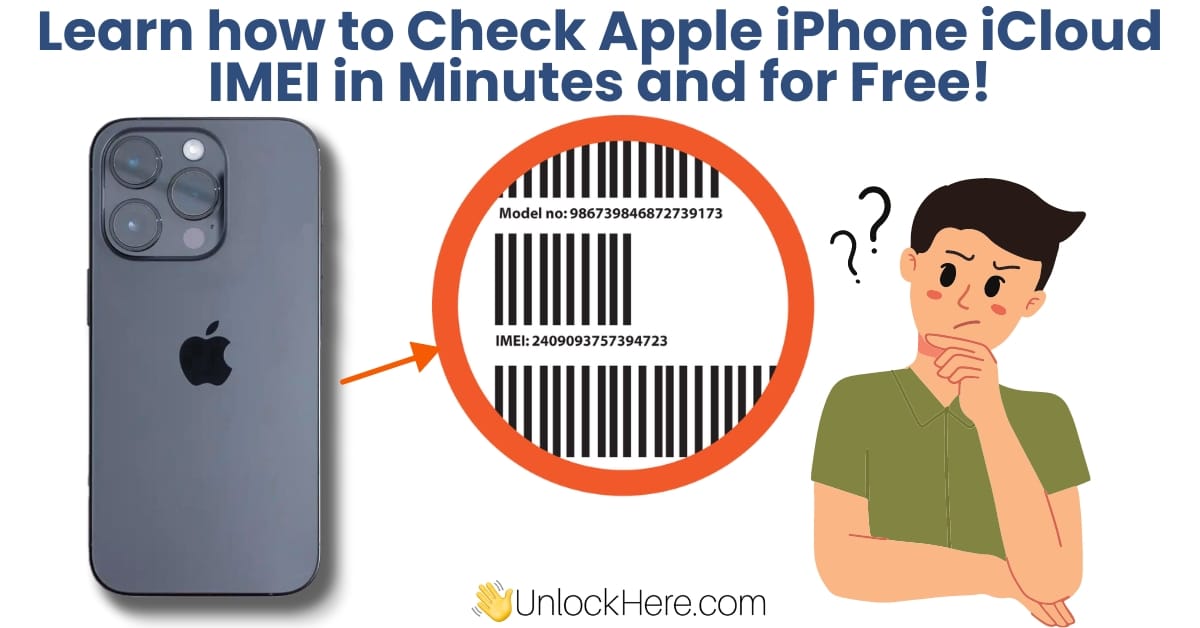
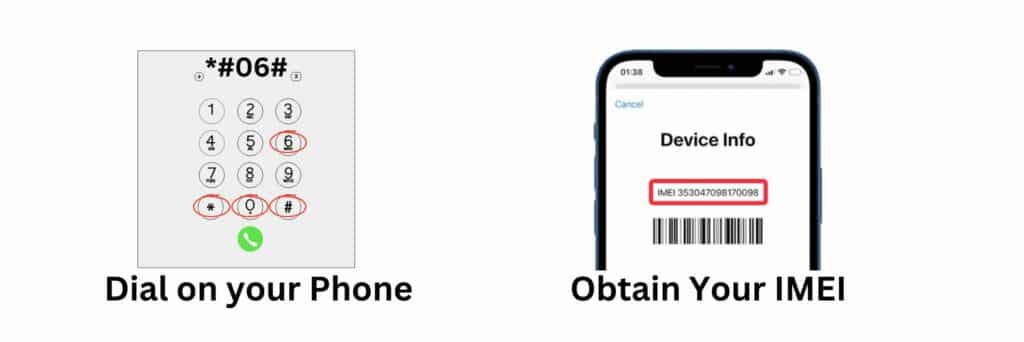
If you want to obtain your IMEI (international mobile equipment identity), all you need to do it’s to press the following on your dial:
*#06#Â (USSD code to obtain your device’s information, including the 15-digit number which is the IMEI)
Alternately, you can also check your device’s IMEI on the sim card tray, on the back or somewhere hidden. By law, it is required that your IMEI is visible somewhere on the mobile device. This will also depend on the type of phone you use.
Yes, any device that is capable to receive phone communications is required to have an IMEI to be legally sold in the market. Despite this new technology changing the rules on how carriers can operate, it is still required to have an IMEI, meaning that this process is still valid.
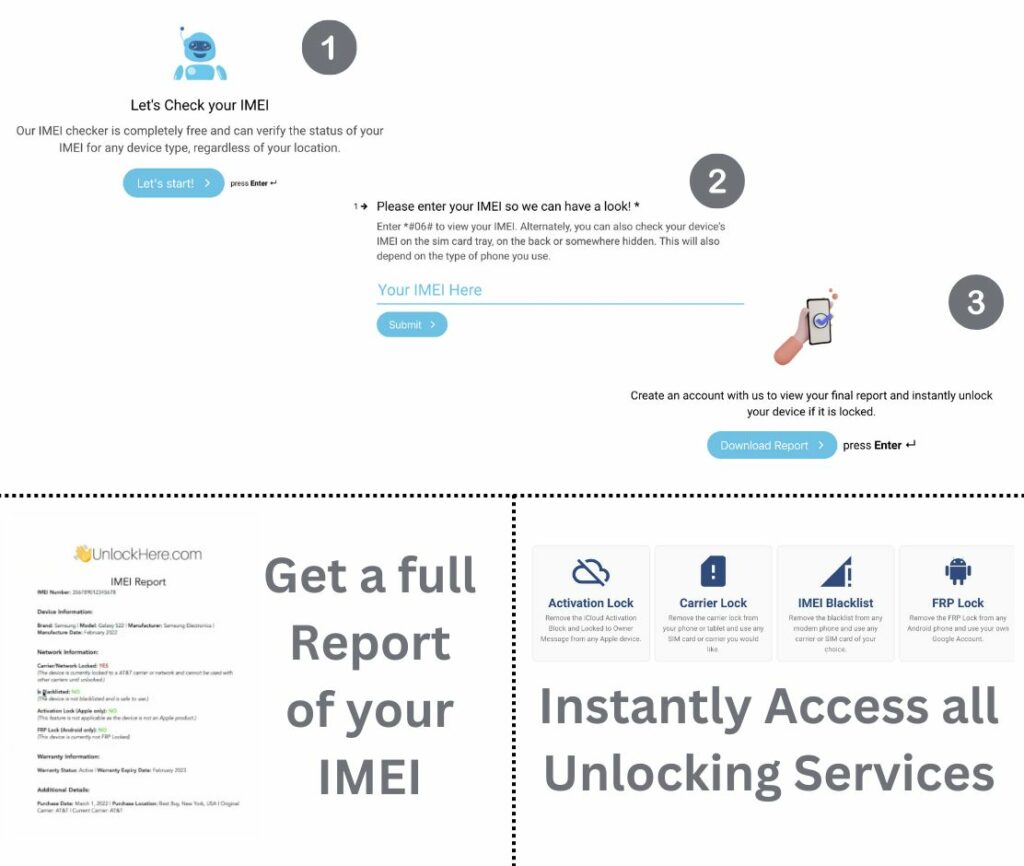
Nifty is here to help get your IMEI report in just a few minutes, all you have to do it’s to provide your IMEI number and Nifty will take care of your request. This process will only take a few minutes thanks to the powerful interface and technology we’re able to provide. For convenience, you will be handed a PDF file with a full report of your IMEI, this will give you a comprehensive guide on the type of locks as well as all the information of your device.
Once you submit your request through the app, you will be required to sign up for a membership on the site, this allows us to prevent spam and the misuse of the app. On the bright side, once your account is created and your report is ready, you will be able to enjoy all the benefits that UnlockHere has for you.
If your device happens to be locked by the carrier, blacklist or the activation lock, you will have the option to automatically unlock it as you already have an account with us and your information has been submitted to the platform.
Checking your IMEI with us is not only safe, but also comes with lots of great benefits that other websites don’t offer. For instance, when checking your IMEI with us, you can also unlock it instantly if we detect any problem with your device. On the other hand, all information is encrypted and deleted after checking or unlocking your device, we take your privacy very serious.
If you have checked your IMEI number, and it came with some issue, you might be wondering what they are all about. We will quickly guide you with some of the most common errors that you might encounter with your phone and have a better understanding about them.
The most common lock associated with your IMEI tends to do with your carrier lock. This is a restriction set by your provider in which you are not allowed to use any other carrier. You can also check this by entering any other sim card that it’s not from your provider and check it for yourself.
The second issue is a bit more complex, if your IMEI happens to be blacklisted, it might be due to some report made to your device. For the most part, it could have been marked as lost or stolen. This is not always the case, but these are the most common reasons.
There are other type of locks such as being locked for having a cloned IMEI, using your phone improperly for illegal activities, etc. Be aware of this, as unlocking it could be harder than the other previous locks we talked about.
Check the IMEI of your Google Pixel Fast and Reliable Google IMEI Check Did you know that with UnlockHere's new IMEI checker, you can access a full report about your phone's status

Check the IMEI of your Motorola Quick and Easy Motorola IMEI Check Did you know that with UnlockHere’s service, you can check the IMEI of any Motorola model and get a comprehensive

Check the IMEI of your Xiaomi Fast and Reliable Xiaomi IMEI Check Did you know it is now possible to see your Xiaomi phone's blacklist, SIM lock, warranty, and MI activation lock s

Check iPhone iCloud IMEI Fast and Secure Checker for Apple Protect your iPhone and verify its functionality and lock status using UnlockHere's IMEI iCloud verification tool! With o

Check the IMEI of your iPhone Fast and Reliable Apple IMEI Check Did you know that it is now possible to get detailed information about your iPhone in minutes? Thanks to Nifty, Unl

Check the IMEI of your Samsung Fast and Reliable Samsung Checker Wondering whether to trust your instinct and buy your new Samsung hoping it's what expected? Run an IMEI check with

Device Replacement Verification Android and iPhone Check by IMEI Did you know an IMEI check can confirm whether your device is a brand-new replacement, refurbished model, or a prev

IMEI Blacklist Check Fast and Secure IMEI Checker By verifying the unique IMEI number of a device, you can quickly determine if it is listed on the international blacklist. This si

Identify any Network Lock using your Phone's IMEI! Fast and Secure IMEI Checking Service At UnlockHere, we believe in empowering you to make the most of your device. Permanently un

Check the IMEI of your OnePlus Quick and Easy OnePlus IMEI Check Want to know your OnePlus' blacklist status, whether it's SIM locked or not, its warranty coverage, or any of its f