AI-Powered PUK Code Generator | Bell Canada

Fast & Reliable SIM PIN Unlock Service
Donโt let a locked Bell SIM disrupt your day โ UnlockHere makes it easy to recover access without calling customer service or replacing your SIM. Our online PUK unlock service supports all Bell devices and SIM cards, offering a fast and reliable solution anytime you need it.ย
Even though it is a well-known security feature, there are still users who don’t really know how the PUK lock works and how it can affect their Bell SIM… With that in mind, UnlockHere has created a comprehensive guide about this SIM lock and what the available options are to fix it. Discover with us how to unlock a SIM card without a PUK code and get your SIM working again with the help of Nifty and our AI servers.
Is there a default PIN or PUK for Bell SIM cards?
Even though it is a well-known security feature, there are still users who don't really know how the PUK lock works and how it can affect their Bell SIM... With that in mind, UnlockHere has created a comprehensive guide about this SIM lock and what the available options are to fix it. Discover with us how to unlock a SIM card without a PUK code and get your SIM working again with the help of Nifty and our AI servers.
Has Default Values
-
๐
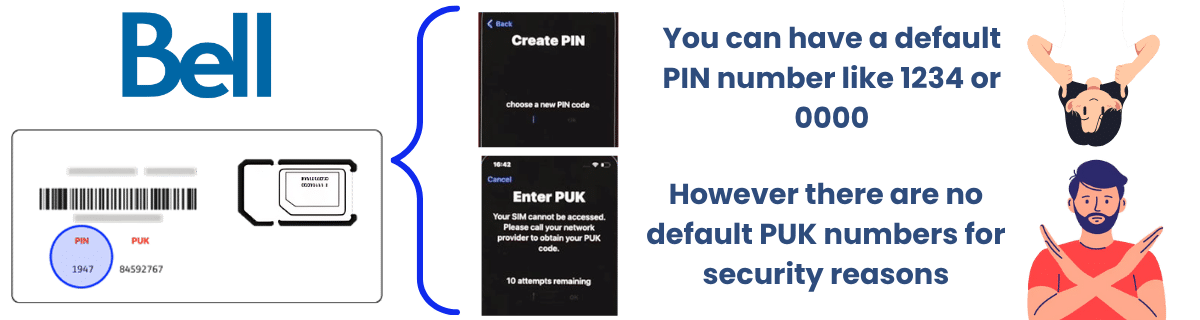
For the personal identification number, or PIN, you can have a default number if you haven't changed it
-
โ๏ธ
Facilitates initial setup and configuration
-
๐
User can change it or leave as is for SIM protection
1234 or 0000
No Default Values
-
๐
The personal unblocking key, or PUK, doesn't have a default code
-
๐ฏ
Each SIM has a unique number for security
-
โ ๏ธ
Only appears after PIN failures (3 attempts)
Why are there no universal PUK codes for the Bell Mobility SIM?
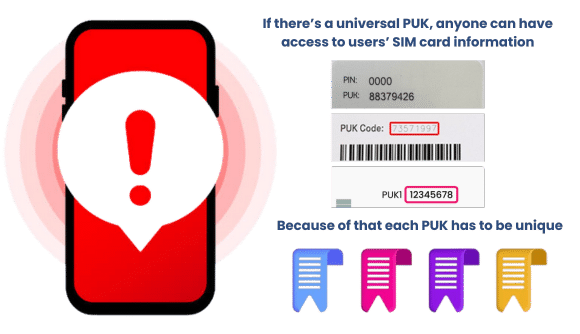
PUK codes need to be unique for safety and to prevent unauthorized usage. If PUKs were universal, anyone could easily bypass the SIM lock, making it easier to clone SIM cards, access someone else's mobile account, and use stolen SIMs... Even if it doesn't look like much, it can cause identity theft issues, scams, and fraud, since they will have your messages and contacts available.
Because of that, Bell and all carriers in Canada need to comply with this security measure and ensure there's no SIM with the same PUK code. If that happens, then the SIM can be considered defective, deactivated, and replaced with a new one so you can use their services.
Can a SIM card still be locked without putting in the PIN once?
YES, it can happen
Yes, although it is not very common, your mobile phone can ask for the PIN and PUK without you setting up anything. This can happen because of several reasons, so here we are going to mention them so you can see if that applies to your case or not:
PIN lock can be enabled by default
Some carriers or devices have SIM PIN lock enabled by default, so the first time the phone reboots or the SIM is inserted into a new device, it will ask for the PIN.
Many incorrect attempts can trigger the PUK lock
If you or someone else accidentally enters the wrong PIN multiple times, the SIM will become PUK-locked, even if you never set a custom PIN before.
System or network triggers
In some rare cases, phone settings or carrier systems can auto-enable the SIM lock after certain security events (remote lock, reset, stolen phone report).
If I move my SIM to another phone, will it still show the PUK message?
That's correct; since the PIN and PUK are attached to the SIM card, if you move it to another Bell phone, then you will also get the error message there. Keep in mind that doing this will not reset the attempts you have already wasted, so without the correct PUK code, you can still permanently lock your SIM even if you are using a new phone.
Attempts are NOT reset when moving to a new phone
If I don't have the PUK, is replacing the SIM the only solution?
Not really, as you still have the UnlockHere online alternative to unlock your SIM! You can do this process without needing to obtain the PUK or get a new SIM card. So, unless you want to change it because it is easier, you have a better way to recover access without having to contact your service provider or wait for the new SIM to arrive.
Better alternative available - no waiting required!
How are the PIN and PUK SIM locks different from a network lock?
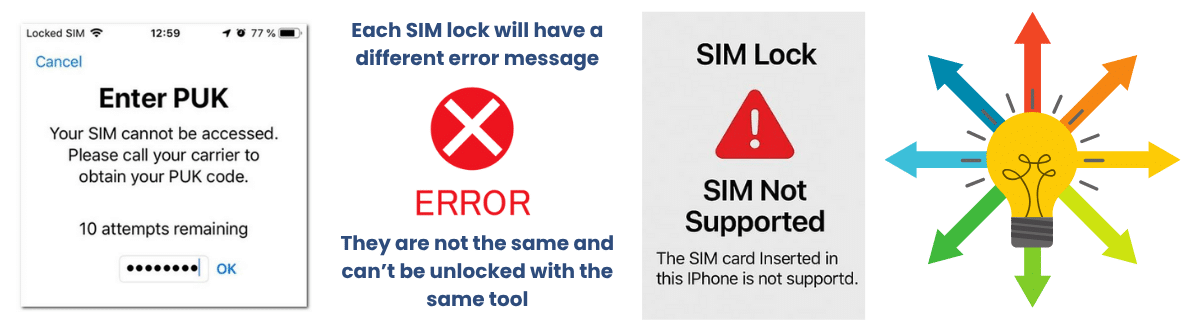
The PIN and PUK were designed to protect the SIM card, while a network lock is a restriction imposed by Bell and other carriers to keep customers from using other networks. Although both need an unlock code, a locked cell phone is still fully functional, while a SIM PIN lock can limit some functions like calls and messages… This is because it is going to keep asking for the SIM PUK code to perform any action.
Other than that, they don’t interfere with each other. If your device is network unlocked, you can simply change the Bell SIM for another carrier, and the PUK will no longer be an issue for you. Just keep in mind that you will have another PIN and PUK, so remember to keep them at hand if you happen to run into this problem again.
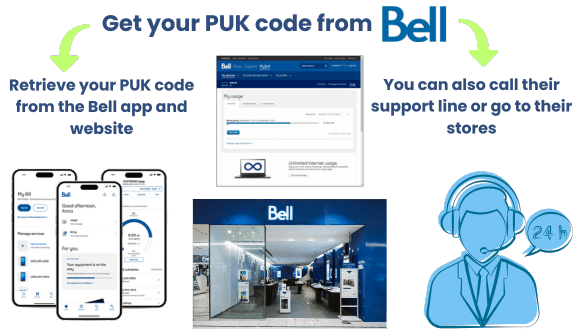
Discover how to get your PUK for a Bell SIM
Option 1: Check online (MyBell Account) and log in. Go to “Mobility” and select your mobile number, and look for “SIM card details” or “Get PUK code.”
Option 2: Use the MyBell app and look for your mobile services. Tap SIM details or PUK info, and there you should be able to
Option 3: Call Bell customer support; you just need to dial 1-800-667-0123. Ask for your PUK code. Follow the instructions on the phone to request a PUK and unlock the SIM.
Option 4: Visit a Bell store; an agent should be able to help you get the PUK code to unlock the SIM.
How to unlock a SIM card without a PUK code Bell
To complete the unlock process with UnlockHere, you will need to provide some data to our servers so we can create and process an order. The info you need to provide is very basic, like your device brand, country, name, email, and phone number. This is necessary to make sure we can create the right unlock key for your device's SIM.
Device brand, country, name, email, and phone number
Once you enter that info, you need to register with us and wait for the servers to create your temporary PUK. When you see the message on the screen with the code, please enter it on your phone and go to settings to disable or change the PIN. If you want, you can restart the device just to make sure everything is working, and now you are good to go.
Enter the generated code on your phone and adjust PIN settings